
Create Your Own Local AI Agent with OpenClaw and Obsidian
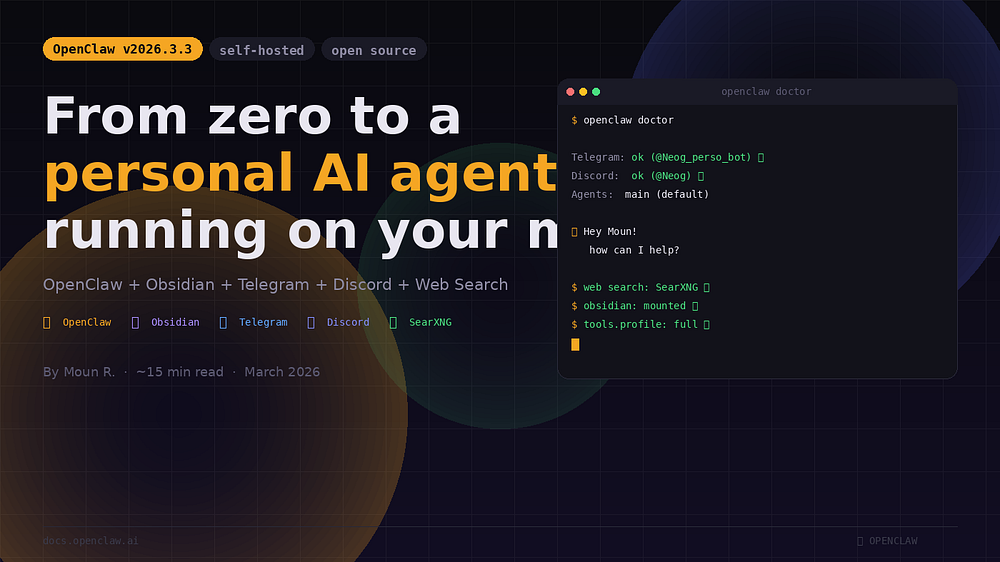
Recently, I decided to stop paying for AI subscriptions that I only use for 10 minutes a day. I cloned OpenClaw, ran ./docker-setup.sh, and spent the next 4 hours debugging permission errors. This guide is everything I wish I had read first.
What is OpenClaw?
OpenClaw is an open-source personal AI agent that you can self-host. Unlike ChatGPT or Claude that operate in the cloud, OpenClaw runs on your machine, maintains persistent memory, and can act on your behalf.
My Real Setup
Here’s what I use:
- Machine — Windows laptop + Ubuntu VM
- Network — Tailscale
- Containerization — Docker
- AI Model — Alibaba Qwen3-Max
- Chat interface — Telegram
- Memory — Obsidian
Mistakes to Avoid
The first mistake: running ./docker-setup.sh with sudo. All files created then belong to root, and you waste time on avoidable permission errors. Before anything else, add your user to the docker group.
Why Obsidian Changes Everything
The core idea: files are memory. The agent wakes up with nothing each session — only files persist. Obsidian is the best place to store them.
What the Agent Can Do Today
After a few hours of setup, here’s what the agent does operationally:
- Responds in French, knows me by name from startup
- Creates notes in Obsidian from Telegram in real time
- Generates a daily morning brief saved in Journal/
- Remembers context between sessions
How Leaders Can Drive Transformation with AI
Understanding MCP (Model Context Protocol) for AI Tools
Похожие статьи
Explore Together AI Innovations at NVIDIA GTC 2026
Together AI showcases innovations at NVIDIA GTC 2026, including new models and capabilities.
Create pixel art with Retro Diffusion models on Replicate
Retro Diffusion has released models for creating retro graphics on Replicate.
Compare Image Editing Models for Optimal Choice
Compare various image editing models and choose the best one for your needs.